Enjoy
digital scrapbooking freebies


(Please note - I extracted the teddy bears on top of the boxes from an element in the kit.)
.jpg)

.jpg)

.png)
.png)
.jpg)


Tutorial for “Keep Cool” tag
What I used:
Kit called “Keep Cool” by Lady Saphira, http://yourscrapaddiction.com/index.php?main_page=product_info&cPath=1_127&products_id=2695 (tag size)
http://yourscrapaddiction.com/index.php?main_page=product_info&cPath=1_127&products_id=2695
(full size)
Cookie poser by Lisa of Sophisticated Scraps http://sophisticatedscraps.blogspot.com
Adobe Photoshop Creative Suite 4 (Make sure “show transform controls” is checked for easy resizing of elements.)
What I did:
Open a new transparent canvas 700 pixels x 700 pixels. Use Circular selection tool to create a circle & fill with background of choice (paper 1).
Choose elements to fit your vision. I used tree, sun chair, hat, ice 3, butterfly 4, and shells 1,2,3. Copy & paste each element, resizing as needed & positioning as desired. Copy & paste your poser of choice (Lisa cookie 4), positioning as desired.
Use font of choice for desired text. I used a cute sandcastle font 12 (http://www.ellies-treasures.com/fonts/alphadings-seasons/alphadings-seasons.html) for main text & name. I used a small font (Arial 3) for tag information.
Merge visible & save.
Enjoy.


Tutorial for “Old-fashioned girl” tag
What I used:
Scrap kit by JT Designs Antique Rose
http://yourscrapaddiction.com/index.php?main_page=product_info&cPath=1_137&products_id=1830
(full)
http://yourscrapaddiction.com/index.php?main_page=product_info&cPath=1_137&products_id=1831
(tag)
Poser by Sinful Mindz http://sinfulmindz.blogspot.com
Adobe PhotoShop Creative Suite 4.0
(Make sure “show transform controls” is checked to allow easy resizing of elements)
What I did:
Open a new transparent canvas 700 pixels x 700 pixels. Use preset shape to create a heart shape. Use new fill layer, with “use previous layer to create clipping mask” checked to fill with background of choice (paper 9).
Select a decorative type element to be in the background (doily 1). Copy & paste, resizing if necessary.
Copy & paste your poser of choice (sm_delerium3-5), resize & position in center of tag. Apply bevel & emboss effect.
Choose floral element(s). (I used 2 copies of rose 1.) Copy, paste, resize as necessary, & position as desired around the poser. Apply bevel & emboss effect.
Choose a butterfly (butterfly 6). Copy & paste, resizing as necessary, & position as desired. Apply bevel & emboss effect.
Choose your font & entered desired text. (I used Bix Antique Script HMK Bold.) To make it curve, right click on the text in the layers palette, choose “warp text” & manipulate the setting as desired. I also applied a style (Krissy Scraps True Love Bevel 3). Use a smaller font for tag information.
Merge visible & save.
Enjoy

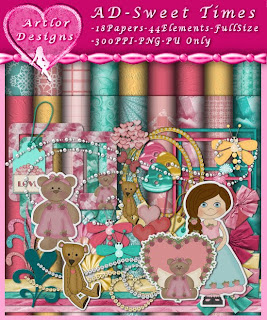
Artlor Designs has a new kit Sweet Times http://yourscrapaddiction.com/index.php?main_page=product_info&cPath=1_126&products_id=1828
I've done 2 layouts, with matching quick page freebies.
Enjoy